

For many seniors, upon receiving digital devices and computers for Christmas gifts, technology can seem very daunting and confusing. Phone calls and letters are no longer the most fastest way to keep in touch with their young loved ones. InTouchLink provides a solution to this dilemma. With easy-to-use functioning for everyday activities like email, internet browsing, webcam, calendars and photo albums, the elderly and disabled have everything available to them in order to stay connected. This service is available to individuals as well as assisted living/seniors communities.
About InTouchLink
InTouchLink, the premier provider of seniors has created a super-easy computer experience using an easy-to-use, intuitive interface. InTouchLink gives seniors and those with minimal experience using computers or the Internet a fun, safe, and easy-to-learn system for emailing, surfing the Internet and so much more.
InTouchLink is a web-based system than be used anywhere. This means that whether it’s from home, at a family-member’s house, retirement community or even on the road, InTouchLink can be accessed on any computer, tablet or phone with an Internet connection.

How does it work?
InTouchLink is web-based and accessible from anywhere. We store all your information securely on our servers and maintain backups and antivirus systems so you don’t have to. You can access your information via a regular browser (we recommend Firefox) or via our downloadable application.
Whenever you sign in to your account, you will see exactly the same information. Wherever in the world you may be!
What can you do with In Touch Link?
InTouchLink allows you to access:
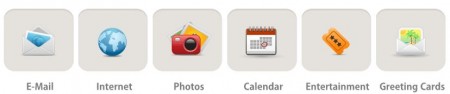 Email
Email
- Simple large buttons, provide easy navigation throughout the email account.
- It features: send, receive, reply, forward and delete capabilities.
- Easy importing and saving of picture attachments into personal photo album.
- Easy usage and saving of email attachments and weblinks
Internet
- The internet feature divides websites into 12 simple categories (including: news, shopping, medical and financial)
- Each category holds a simple list of suggested websites, minimizing the daunting nature of the internet
- Access to global internet
- Simple Google Search Box allows guided access to search the internet
Personal Photos
- Personal photo album with easy, fast importing of pictures from email or the internet
- Digital Photo Frame feature
Personal Calendar
- Personal calendar with simple easy options to create reminders for: Appointments, Birthdays, Anniversaries, etc.
Entertainment
- Brain Games, Games, Movie Trailers, and more
Greeting Cards
- Get customized greeting cards for any occasion
You can access your account from anywhere. Just browse to www.intouchlink.com and click ‘Login’.
How do I sign up?
You can sign up for a FREE (one-month) trial by clicking here. You can also buy annual subscriptions for yourself or as gifts for a loved one. There are monthly and yearly plans available.
My Thoughts
For many seniors today, technology is too overwhelming, too time consuming and too expensive. In fact, I have several family members who struggle every time they try to access the Internet, or many who have no idea how to use a computer (let alone, the Internet). For anyone who has friends or family members who aren’t familiar with how to use email, or send/receive photos; then this is definitely a service you should look into.
InTouchLink provides the freedom that seniors (or those with limited computer experience) need. InTouchLink was founded in response to a growing need for a system that helped seniors and other users have easy access to the world of email, internet and computers. Now with this easy-to-use system that is equally helpful to retirement homes, independent seniors and others who may have not used a computer before, this program provides the technology needed to stay in touch with the world around them.
I would highly recommend trying this program for FREE (with a one-month trial) if you think you may know someone who would benefit from using the site. I could even see this site being used for educators in an early childhood setting as well. Sometimes having less (especially when it comes to the Internet) is easier for everyone involved.
To learn more about InTouchLink, you can visit their website, like them on Facebook and/or follow them on Twitter.
Now for the give away…InTouchLink would like to give away a FREE 6-month membership to ONE Frugal Fabulous Finds reader!

There are TWO mandatory things you must do:
1. Enter your name/email address in the giveaway form below (for each entry), so that I can contact you!
2. “Like” InTouchLink on Facebook (required entry) and thank them for the wonderful giveaway at Frugal Fabulous Finds (you can add a link to our page too simply by putting the “@” sign in front of our name!). Please make sure that you follow this step! It only takes a couple minutes and allows us to get more giveaways in the future! Thank you!
There are also several other OPTIONAL entries as well, including (but not limited to):
Liking FFF on Facebook, liking this blog post via FB, tweeting and more!
***Very Important: All of your entries MUST be entered into the giveaway form below, or they will not count towards winning!***
This giveaway will end Wednesday, January 25th at midnight. The winner will be chosen via Rafflecopter.com and will be announced Thursday, January 26th!! Good luck!

Post published by Melissa Roach, our Product Review & Giveaway Specialist.
Melissa is a Full Time Mom & Blogger HERE (please check out her blog!)
I received one or more of the products mentioned above for free. Regardless, I only recommend products or services I use personally and believe will be good for my readers.
If you cannot see the giveaway form below, please click here!
Leave a Reply